You know the drill — you assign practice problems, the student says they'll do them, and then next session nobody remembers what was assigned. TutorPing fixes that. Every assignment is tracked with a due date and completion status, so nothing slips through the cracks.
Your homework page shows all assignments across all your students. You can filter by student to zoom in on one person, and there are two tabs to keep things organized:
Each entry shows the description, student name, and due date. Simple and scannable.
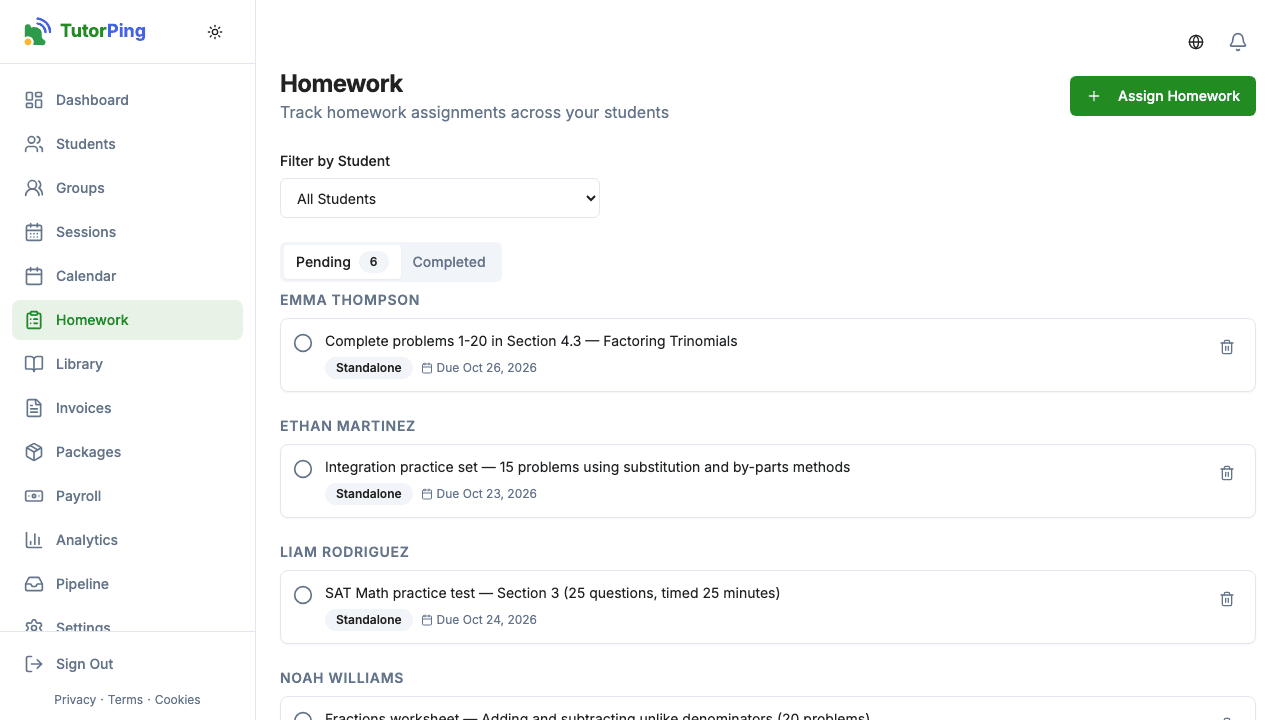
There are two ways to create homework. You can click New Homework to create a standalone assignment, or you can attach homework directly to a session when you're logging it. Either way, here's what you fill in:
You can also attach resources to any assignment — link to an online worksheet (with a title so they know what it is), upload files (note: these do expire after a while), or add inline notes with extra context. When homework's attached to a session, it automatically links back to that session record, so you always have the full picture.
Quick tip
Each assignment has a simple completed/not-completed toggle. When the student finishes their work, you (or they, through the parent portal) mark it done. Your dashboard shows pending homework counts so you can see at a glance who's falling behind. Parents can see all assignments and their statuses in the parent portal, which helps keep everyone on the same page.
Assigned something by mistake, or plans changed? You can delete any homework assignment. It's gone for good once you confirm, so just make sure you actually want to remove it before hitting delete.